
The 12 Best Productivity Apps in 2026 (Tested for Real Use)
If you have spent any time searching for the best productivity apps, you already know the problem. Every list looks the same, every app claims to be "AI-powered," and none of it tells you which tool actually saves you time. We tested a dozen of the most popular productivity apps on real work, not demo screens, so you can pick the right one the first time.
Whether you are a professional trying to move up and earn more, or a recent graduate trying to build habits that make you stand out, the right productivity software can make a measurable difference in how much you get done in a day. Below, we break down what productivity software actually means, which apps are worth your time, which ones are free, and which app fits different types of users.
What Is Productivity Software?
Productivity software is any application built to help you plan, organize, track, and finish work more efficiently. That includes task managers, calendars, note-taking tools, document editors, and full office suites.
In plain terms, productivity software means tools that reduce the mental load of remembering what to do next. Instead of keeping deadlines and to-do lists in your head, the app holds that information for you and reminds you when it matters.
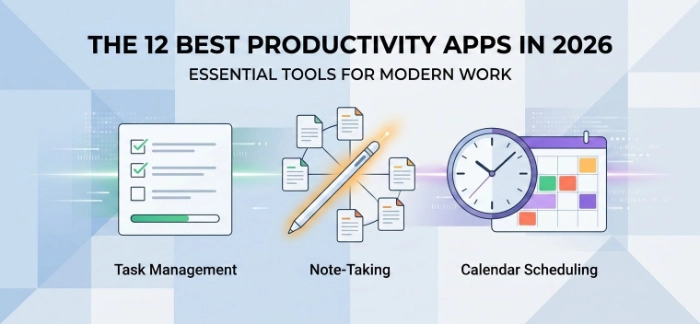
Most productivity software falls into a few core categories:
Task and project management – tools like Todoist or Asana that track what needs to get done and by when
Note-taking and knowledge management – tools like Notion or Obsidian that store ideas and documents
Time tracking and focus – tools like Toggl Track that show you where your hours actually go
Office suites – bundled tools for documents, spreadsheets, and presentations, like Google Workspace or Microsoft 365
Calendar and scheduling – tools like Motion that use AI to build your day automatically
How We Picked (Criteria: Usability, Integrations, Friction, Price)
We did not rank these productivity apps by feature count. A long feature list does not mean much if the app is a headache to use every day. Here is exactly what we tested for.
Usability
We looked at how long it took a new user to get from download to daily use without a tutorial. Apps that needed a manual to understand basic task creation lost points.
Integrations
We checked whether each app connects cleanly with the tools people already use, like Gmail, Slack, Google Calendar, and Zoom. An app that cannot talk to your inbox creates more work, not less.
Friction
Friction is anything that slows you down: slow load times, confusing menus, or too many steps to add a simple task. We used each app for real work over several weeks and noted where we got stuck or gave up.
Price
We compared free tiers, paid plans, and whether the free version is actually usable or just a trial in disguise. Value matters more than the lowest sticker price.
Best Overall Productivity App: Notion
Notion is our pick for the best overall productivity app in 2026. It combines notes, tasks, databases, and documents in one flexible workspace, which makes it a strong fit for both students building a portfolio and professionals managing multiple projects.
Notion's free plan covers most individual use cases, and its learning curve has dropped significantly thanks to built-in templates. The tradeoff is that Notion can feel like a blank canvas at first, so new users should start with a template instead of building from scratch.
Best Productivity App for Task Management: Todoist
If Notion feels like too much, Todoist does one thing extremely well: tasks. You can type a task in plain language, like "finish report tomorrow at 10 am," and Todoist automatically sets the date and reminder for you.
Todoist works across web, desktop, and mobile, and its free plan is generous enough for most solo users. This is the productivity app most reviewers recommend for people who just want a reliable list, not a full system to manage.
Best Productivity App for AI Scheduling: Motion
Motion uses AI to build your calendar for you, automatically slotting in tasks around your existing meetings. This is the closest thing on our list to a true digital assistant, and it is especially useful for professionals with unpredictable schedules.
The downside is price. Motion costs more than most task managers, so it is best suited to people who bill by the hour and can measure the time it saves.
Best Free Productivity Software Suite: Google Workspace
If you need documents, spreadsheets, email, and video calls in one place, Google Workspace is the strongest free option. The individual apps, Docs, Sheets, Gmail, and Meet, are free to use with a Google account, and real-time collaboration is genuinely simple for teams and classmates alike.
Google Workspace now includes Gemini AI features across its apps at no added cost, which narrows the gap that used to exist between free and paid office suites.
Best Free Productivity Software Suite for Desktop Power Users: Microsoft 365
Microsoft 365 remains the standard for people who need deep desktop tools, especially in Excel. While the full Microsoft 365 subscription is paid, Microsoft offers free web versions of Word, Excel, and PowerPoint, along with Copilot Chat in Office apps at no cost under any Microsoft 365 business plan.
If your work involves complex spreadsheets, financial models, or advanced formatting, Microsoft 365's desktop apps still outperform Google's browser-based equivalents.
Best Productivity App for Time Tracking: Toggl Track
Toggl Track answers a question most people avoid asking: where does my time actually go? It runs quietly in the background and produces simple reports that show how many hours went into each project or client.
For freelancers and professionals who bill hourly or want to prove their value in a performance review, this kind of data is hard to argue with.
Best Productivity App for Email: SaneBox
SaneBox filters your inbox automatically, moving low-priority messages out of your main view without deleting anything. For professionals drowning in email, this alone can save close to an hour a day.
Best Productivity App for Teams: Zoho Projects
Zoho Projects covers end-to-end project management, from task assignment to timeline tracking, at a lower price point than most enterprise tools. It is a strong pick for small teams that need structure without an enterprise budget.
Best Productivity App for Card-Based Planning: Trello
Trello's drag-and-drop board makes it one of the easiest productivity apps to learn in a single sitting. It is a great starting point for recent graduates who want visual organization without a steep learning curve.
Best Productivity App for Notes and Research: Obsidian
Obsidian stores your notes as local files and lets you link ideas together, which makes it a favorite among students, researchers, and writers who want full ownership of their data.
Best Productivity App for Simple Task Lists: Things 3
Things 3 is built for Apple users who want a clean, distraction-free task manager. It lacks cross-platform support, but for iPhone and Mac users, it is one of the most polished apps on this list.
Best Productivity App for Custom Workflows: Kintone
Kintone lets you build custom internal apps without writing code, which makes it useful for teams with workflows that do not fit neatly into a standard task manager.
Which Productivity Software Should You Use?
The right answer depends on who is asking. Here are two common situations to help you decide.
If you are a professional managing multiple projects and want one flexible workspace, start with Notion. It scales from a simple task list to a full project tracker as your responsibilities grow, and the free plan is enough to test it properly before committing.
If you are a recent graduate who wants a simple, low-friction way to stay on top of coursework, applications, or a first job, start with Todoist or Trello. Both have short learning curves, generous free tiers, and get you organized within minutes instead of hours.
There is no single best productivity app for everyone. The smartest approach is to pick one tool for tasks, one for notes, and one for documents, and resist the urge to add more apps until an actual gap shows up in your workflow.
Frequently Asked Questions
What is productivity software? Productivity software is any digital tool that helps you plan, track, and complete work more efficiently, including task managers, note-taking apps, calendars, and office suites like Google Workspace or Microsoft 365.
What productivity software suites are free? Google Workspace offers free individual use of Docs, Sheets, Gmail, and Meet. Microsoft offers free web versions of Word, Excel, and PowerPoint. Both include basic AI features at no added cost.
Which productivity app is best overall in 2026? Notion is the best overall pick for most people because it combines tasks, notes, and documents in one flexible tool, with a free plan that covers most individual needs.
Which productivity software should I use if I am new to this? Start with Todoist or Trello. Both are easy to learn in one sitting, have strong free plans, and do not require a full system to get value on day one.
How much do productivity apps typically cost? Free plans usually cover core features for individual use. Paid plans generally range from about $3 to $15 per month per user, with AI scheduling tools like Motion priced higher due to the added automation.
Is Microsoft 365 or Google Workspace better for productivity? Google Workspace is better for browser-based, real-time collaboration and is more budget-friendly for individuals and small teams. Microsoft 365 is better for advanced spreadsheet work and offline desktop use.
Ready to Get More Done?
Pick one app from this list, not three. Install it today, use it for a single project or week, and see how much friction disappears from your workflow before adding anything else to your stack.
For more productivity article visit scorethat.com